
Every day, professionals lose hours managing calls manually and miss a significant portion of important follow-ups. If you’ve ever forgotten to call a client back, missed a sales opportunity, or felt overwhelmed by your call list, this guide is for you.
The problem is simple: Your brain wasn’t designed to remember dozens of “call this person at exactly 2pm on Thursday” tasks while juggling everything else.
The solution is even simpler: Automated call scheduling.

What is Automated Call Scheduling?
Instead of relying on your memory or basic reminders, automated call scheduling means your phone automatically dials the right number at exactly the right time.
Traditional Way:
- Set a reminder → See notification → Manually find contact → Manually dial → Hope you’re available
Automated Way:
- Schedule once → Relax → Phone automatically calls at the perfect time
Who Should Use This Guide?
This is perfect for you if you:
- Follow up with clients or customers regularly
- Schedule consultation calls or appointments
- Need to make routine check-in calls
- Manage sales pipelines with multiple prospects
- Want to stay connected with important contacts
- Feel overwhelmed by manual call management
The 3 Core Benefits
1. Never Miss a Follow-Up Your phone calls people at exactly the scheduled time, even if you’re busy with other tasks. Consistency builds trust and closes deals.
2. Reduce Mental Load & Stress Stop keeping dozens of “remember to call” items in your head. Schedule them once and forget about them. Your brain is freed for higher-value work.
3. Improve Results Users consistently report better relationship quality and increased conversion rates. Timing matters - automated scheduling ensures you follow up at the optimal moment.
“I used to forget follow-up calls all the time. Since using Auto Call Scheduler, I haven’t missed a single one in 3 months. My closing rate increased significantly.” — Sales Professional
Getting Started in 5 Simple Steps
Step 1: Download the App
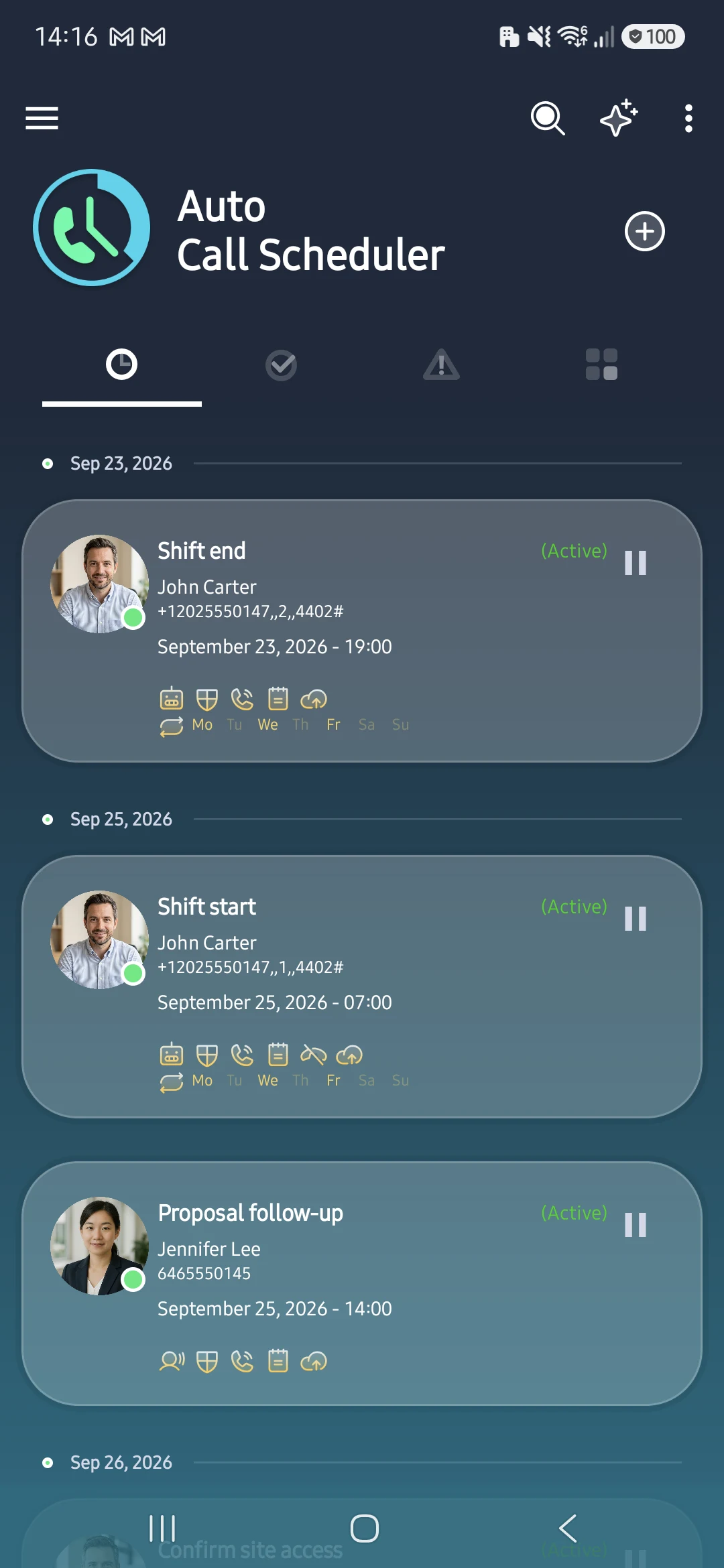
Get Auto Call Scheduler & Reminder from the Google Play Store. Installation takes less than 30 seconds.
Step 2: Schedule Your First Call
Let’s walk through scheduling a simple follow-up call:
- Open the app and tap the “+” button
- Select a contact from your phone or enter a number manually
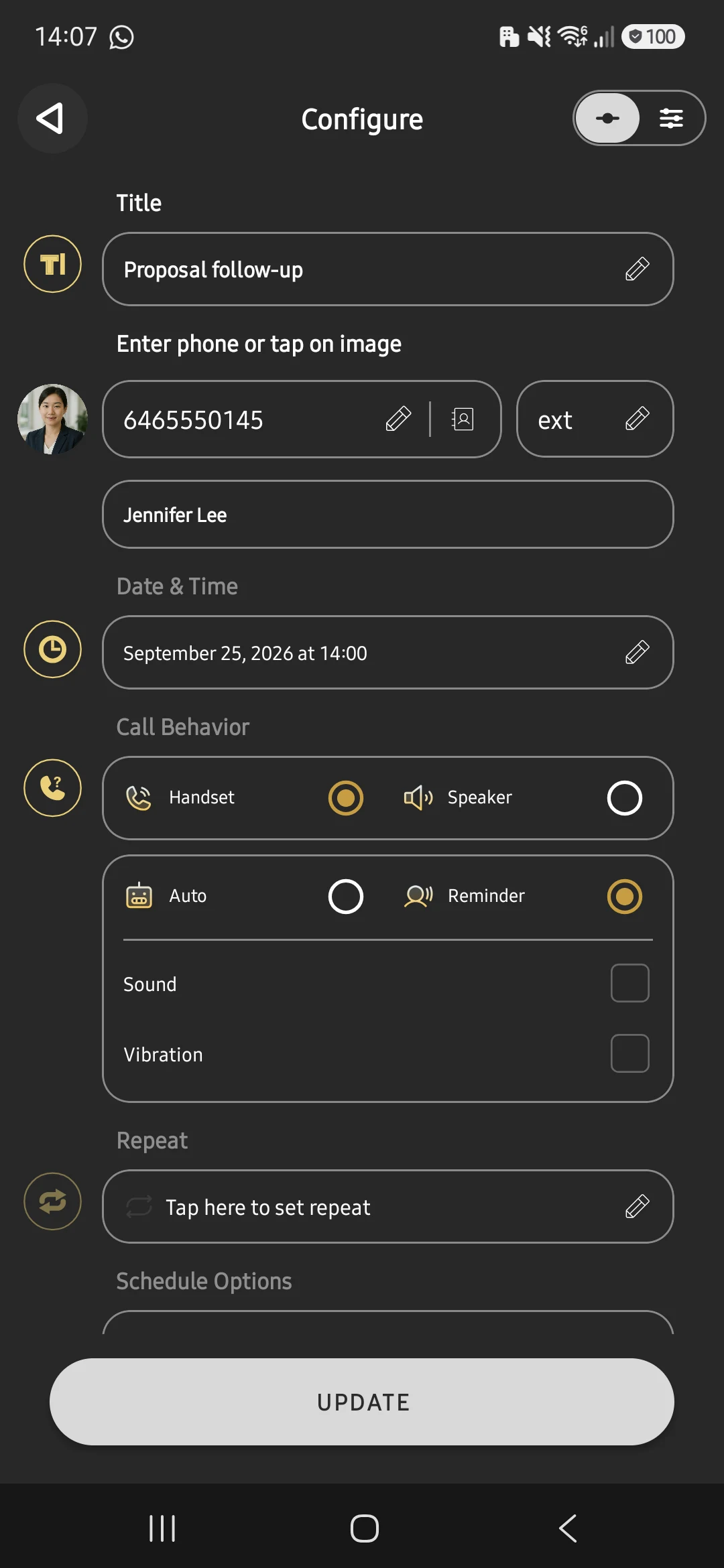
- Choose the date and time when you want the call to happen
- Add a quick note about what to discuss (optional but powerful)
- Tap “Save” and you’re done
In Call Behavior, choose Auto to dial at the scheduled time or Reminder to confirm before calling. The example below uses Reminder.
“Setup took me 2 minutes. Within the first week, I had scheduled 15 calls and never missed one. This is a game-changer.” — Business Owner
Step 3: Try a Recurring Call
For calls you make regularly (weekly check-ins, monthly updates), set up a recurring schedule:
- Schedule a new call like you did before
- Tap “Repeat” and choose your pattern:
- Daily (for routine calls)
- Weekly (for regular check-ins)
- Monthly (for periodic updates)
- Custom (create your own pattern)
- Set when to stop (or leave it ongoing)
- Save and you’re done
Now that call will happen automatically at the same time every week or month.
Step 4: Add Helpful In-Call Notes
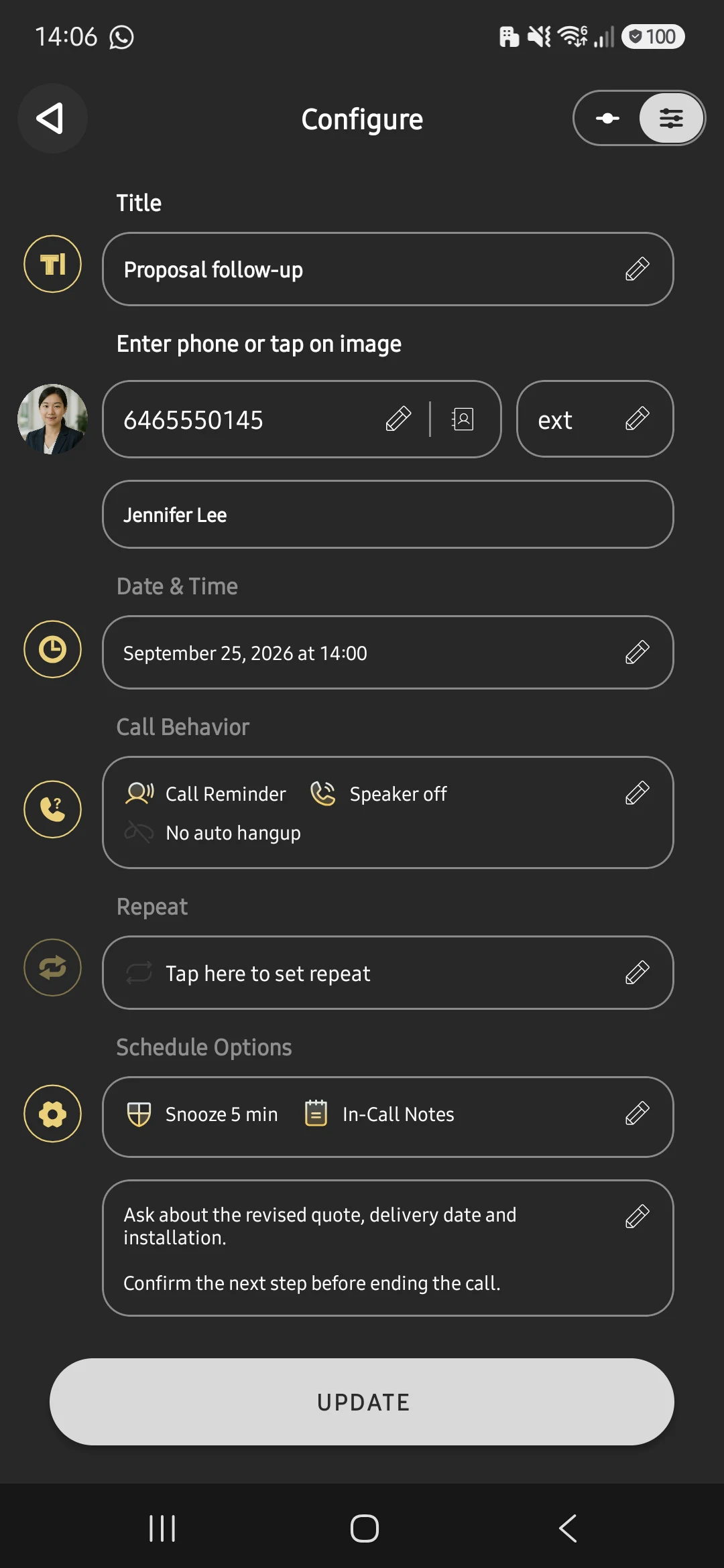
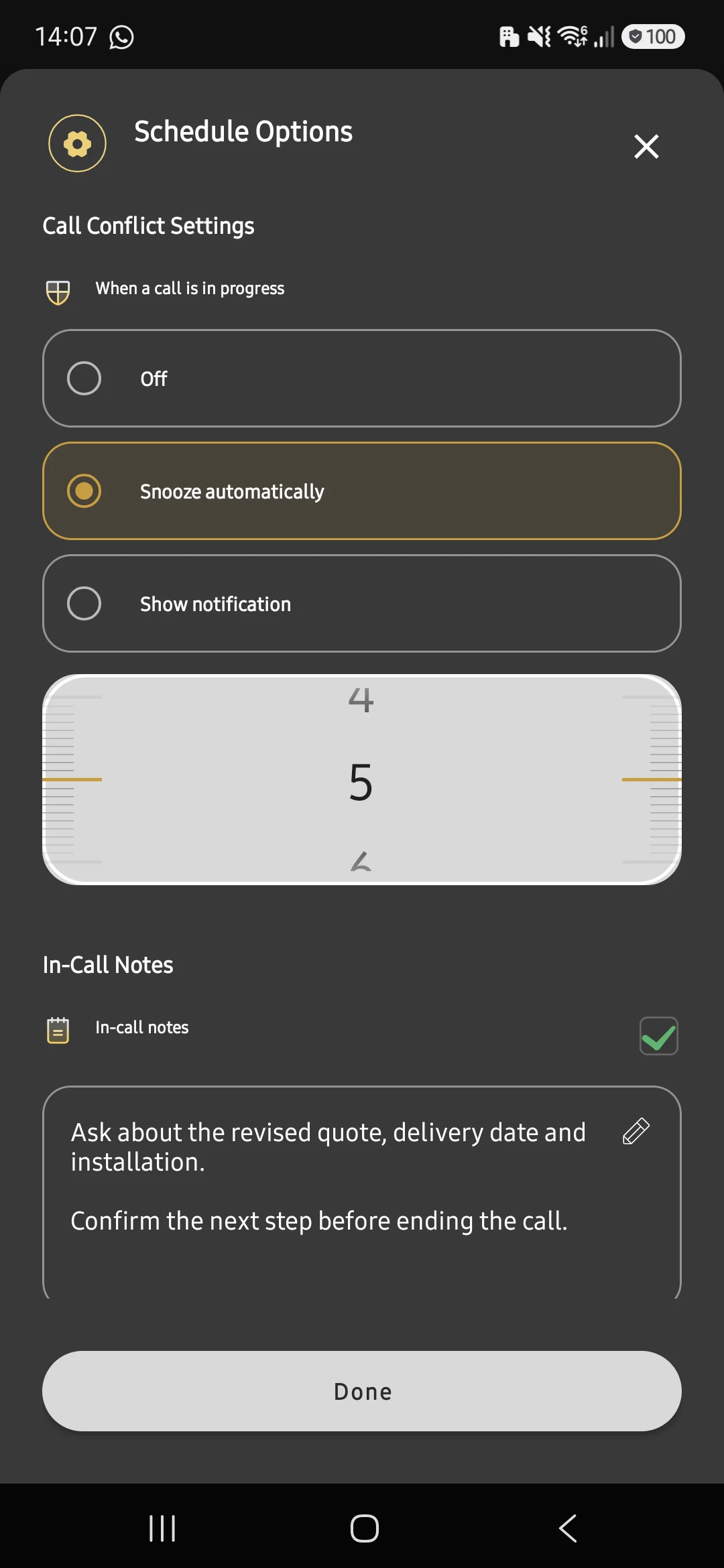
One of the most powerful features is in-call notes. Here’s why they matter:
Before scheduling a call, jot down:
- What you need to discuss
- Important context from your last conversation
- Questions to ask
- Information to share
Example good notes:
“Follow up on proposal sent Tuesday. Ask about budget approval timeline. Mention new feature release.”
When your scheduled call connects, these notes will be right in front of you. No more scrambling to remember what you wanted to say.
✅ Ready to Stop Missing Important Calls?
You’ve learned the basics. Now it’s time to experience the relief of automated call scheduling yourself.
Download Auto Call Scheduler Now - It’s Free
Common Questions from Beginners
“What if I’m not available when the call is scheduled?” You’ll get a pre-call reminder, giving you time to reschedule if needed. You’re always in control.
“Can I schedule calls to people not in my contacts?” Yes! Enter any phone number manually when creating a scheduled call.
“What happens if I miss a scheduled call?” The app will log it so you can see missed calls and reschedule them easily.
“How far in advance can I schedule calls?” As far as you want! Schedule calls days, weeks, or months ahead.
“Will this work with my business phone system?” Yes, the app works with any standard phone line, including business VoIP systems.
“My team was skeptical at first, but after seeing the results - significantly fewer missed follow-ups - everyone’s using it now.” — Team Manager
Your First Week Action Plan
Here’s how to get maximum value in your first 7 days:
Days 1-2: Learn the Basics
- Install the app
- Schedule 2-3 test calls to yourself or a friend
- Get comfortable with the interface
- Schedule this week’s actual follow-ups
Days 3-4: Set Up Recurring Calls
- Identify calls you make regularly (weekly, monthly)
- Set up recurring schedules for them
- Add detailed notes to each scheduled call
Days 5-7: Optimize & Review
- Notice which times work best for different call types
- Adjust future schedules accordingly
- Enable reminders for important calls
- Review your progress and results
Schedule Smarter, Not Harder
The difference between professionals who consistently follow up and those who don’t often comes down to a simple system. Automated call scheduling is that system.
Every day you wait costs you:
- Missed follow-ups that could have closed deals
- Damaged relationships from inconsistent communication
- Stress from keeping everything in your head
- Time wasted on manual call management
Start today. Your future self will thank you.
Questions about getting started? Email our support team - we’re here to help.
Ready to begin? Download Auto Call Scheduler now and schedule your first call in the next 2 minutes.